Schedule a Demo
Schedule a 30 minute demo with one of our specialists.


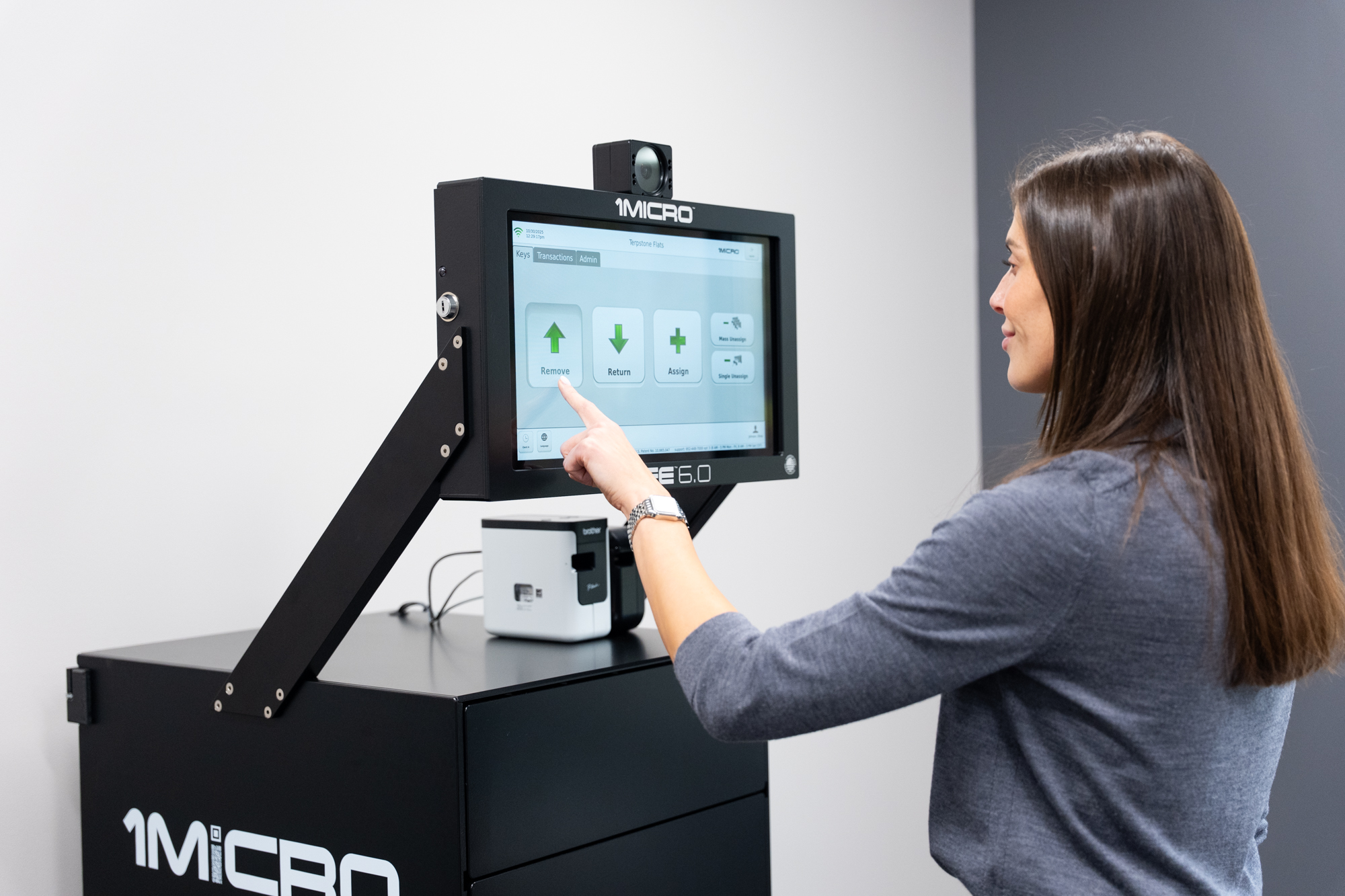
The Easiest Key Management System Setup in the Industry: How 1Micro Gets You Up and Running Fast
When dealerships, fleet operators, property managers, and government agencies evaluate key management systems, one of the most common concerns is the setup process. How long will it take? How much will it disrupt operations? How complex is the IT configuration? How much training will the team need before they can actually use it?
With 1Micro, the answer to all of those questions is simpler than most people expect. In fact, the most common reaction we hear from new customers after their iSafe is up and running is some version of: "That's it? I figured this would take a few days."
It did not. And here is why.
It Starts Before the System Even Arrives
The 1Micro onboarding process is designed to eliminate as much friction as possible before the iSafe ever reaches your facility. Pre-training typically happens while the system is in transit, or in some cases, before it even leaves the 1Micro facility in Waconia, Minnesota.
During pre-training, the real setup work gets done. Users are created in the system. Inventory integrations are configured so vehicles sync automatically from your DMS. Geo-fences are established for asset tracking. The web platform is walked through so your team knows exactly what they are looking at when the system arrives.
Because the iSafe runs on AWS cloud infrastructure, all of that configuration happens in the cloud and syncs to the physical system the moment it is connected. By the time the iSafe arrives at your facility, every user is already in the system, your inventory is already loaded, and everything is ready to go. The system does not need to be in the building for the setup work to happen. That is one of the most meaningful advantages of a cloud-based key management system over a server-based one, and it shows up immediately in how fast new customers are operational.
Delivery Day Is Simpler Than You Think
When a 1Micro Delivery Tech brings your new iSafe to your facility, the process is straightforward. The system is walked in, plugged into power and ethernet, turned on, and tested to confirm everything is functioning correctly. The 1Micro technician is typically in and out within 30 to 60 minutes. There is no work required on the customer's end beyond showing them where the system is going.
For customers who need a system delivered quickly via freight or crate shipment, the iSafe is the definition of plug and play. Open the crate, take the system out, plug it in. That is the entire installation process. No assembly required, no hardware configuration, no IT team needed to get it operational.
That simplicity is not an accident. It is the result of the iSafe shipping completely pre-configured and ready to operate the moment it is connected. Everything the system needs to function is already built in.
The IT Configuration Is Refreshingly Simple
This is where 1Micro separates most clearly from the competition, and it is the part that surprises IT teams the most.
The iSafe connects to the internet via either a dynamic or static connection, whichever fits your network setup. From there, it only needs to communicate with the 1Micro server. That is it. There are no firewall ports to open beyond standard outbound traffic, no tunnels to configure, and no remoting systems together to get multiple machines talking to each other.
For customers with higher security requirements, the most common configuration is a simple dedicated VLAN that keeps the iSafe logically separated from the primary network. For most customers, connecting the system directly to their existing network works perfectly well. And for facilities where nothing can touch the internal network at all, the iSafe can run entirely on its own dedicated cellular connection via a hotspot or jetpack.
Contrast that with how most competing key management systems handle multi-system networking. Getting multiple server-based systems to communicate with each other typically involves significant IT configuration, firewall modifications, network tunnels, and remoting machines together in ways that introduce complexity, open potential security vulnerabilities, and take days rather than hours to complete. Every additional system added to the network compounds that complexity.
With 1Micro, adding a new system to an existing enterprise network is a button click. No IT project required.
Training That Fits Your Schedule and Your Budget
Once the system is live, most customers complete their primary training remotely. A 1Micro trainer connects in real time and can follow along with exactly what the customer is seeing on their screen, making the remote session feel as close to an in-person walkthrough as possible without the travel cost.
Most customers find the iSafe intuitive enough that a single remote training session covers everything they need to get their team fully operational. The interface is clean, the workflows are straightforward, and the cloud reporting platform is designed to be navigated without a manual.
For customers who prefer an on-site training visit, 1Micro offers that too. But the reality is that most customers do not need it, and the ones who have come from competitor systems are consistently the most surprised by how little time it takes. When you are used to a setup process that takes days and involves significant IT coordination, discovering that your new key management system was ready to go before the technician finished their coffee is a genuinely pleasant surprise.
What Customers Say
The feedback from new customers is consistent enough that it has become one of the most reliable parts of the onboarding experience. "That's it? I figured the setup would take a few days." It comes up again and again, almost always from customers who have been through a competitor's installation process before and came in expecting the same level of complexity.
That reaction is exactly what 1Micro is going for. The goal of every new iSafe installation is to get the customer operational as quickly and as effortlessly as possible, with zero disruption to their operation and zero burden on their IT team. The pre-training, the plug-and-play hardware, the simple network configuration, and the remote training model all exist to serve that goal.
The Bottom Line
Setting up a key management system should not feel like an IT project. It should feel like plugging in a piece of equipment that was designed to work the moment it is connected, backed by a team that did most of the setup work before it even arrived.
That is exactly what the 1Micro iSafe delivers. Pre-configured before it ships, plug and play on arrival, simple IT setup that requires no firewall changes or network tunnels, and remote training that gets your team fully operational without the cost of an on-site visit.
If you have been putting off a key management system because you were worried about the setup process, the iSafe is the answer to that concern.
To learn more about the iSratio installation and onboarding process, visit 1micro.com or contact 1Micro directly to talk through what setup looks like for your specific operation.