Schedule a Demo
Schedule a 30 minute demo with one of our specialists.


The Complete Buyer's Guide to Electronic Key Management Systems
An electronic key management system is equipment you'll live with for 15 years or more. On a spec sheet, most of them look alike. The differences that matter show up later: in how the system records a checkout, how it holds up to daily use, and what happens when the vendor stops supporting the hardware. This guide covers what to evaluate in any industry. If you're buying for a specific operation, our guides for dealerships, fleets, property management and government facilities go deeper.
What Separates an Electronic Key Management System From a Key Cabinet
The difference comes down to tracking. An electronic key management system, sometimes called a physical key management system, records every key individually and ties each checkout to a specific person. Many electronic key cabinets, key boxes and smart cabinets only lock keys behind a code, with no record of who took what.
The Three Hardware Formats
Electronic key management systems come in three basic designs. Which one fits depends mostly on how many keys you manage and who needs access to them.
Drawer-based systems
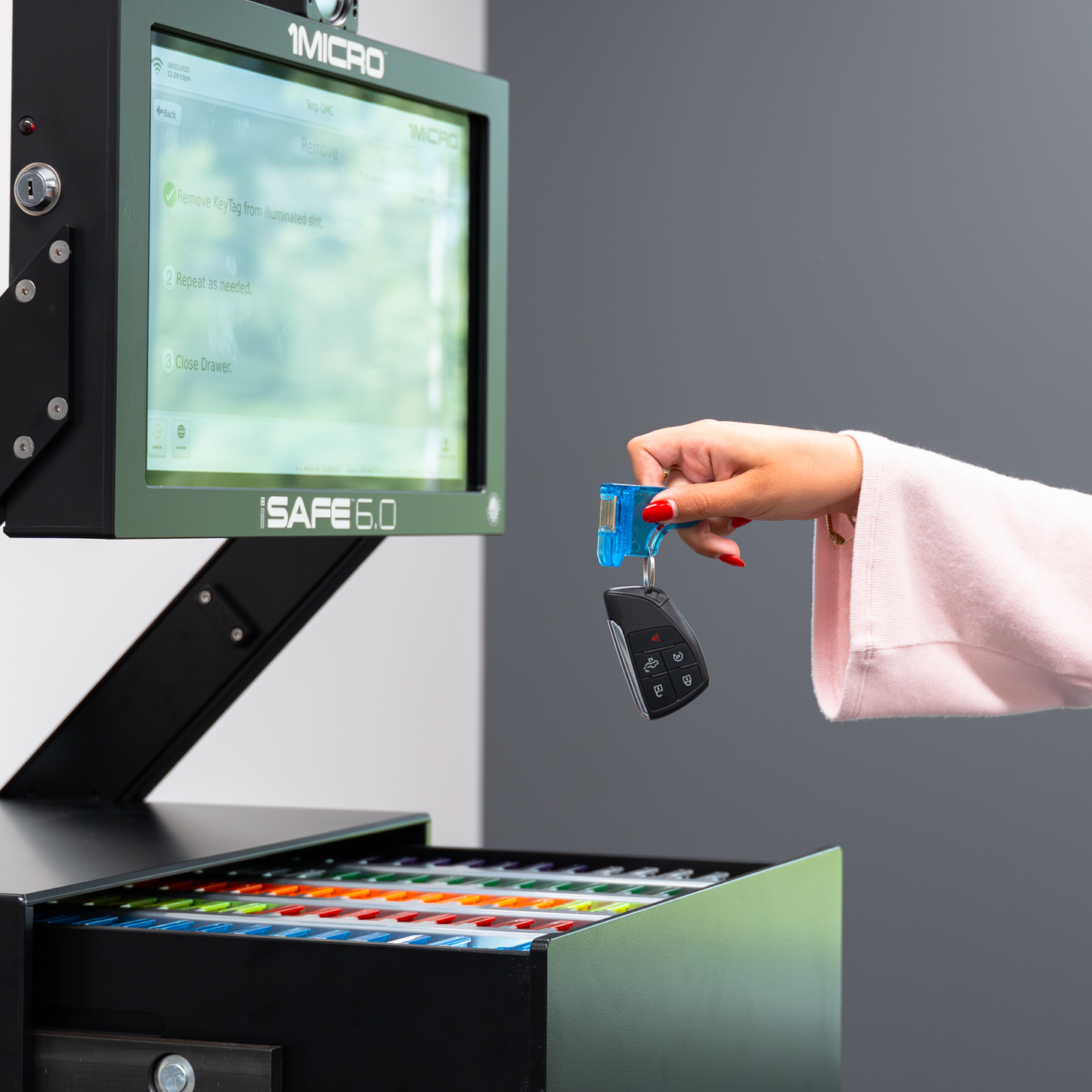
Keys sit in slotted drawers that open only for authorized users. This format scales the furthest and suits operations with hundreds or thousands of keys. The iSafe Pro 6.0 handles 100 to 10,000+ keys.
Door or locker systems
Keys sit behind individual or grouped doors. This format suits smaller key counts. The iSafe Lite 2.0 handles 20 to 100 keys with a modular door design.
Single-key self-service systems
The system releases exactly one key to one person, which is useful for after-hours pickups, customer drop-offs and contractor access. The iSafe SOLO is built for this.
What to Evaluate in Any Electronic Key Management System
How the system knows a key was taken
This is the question most buyers never ask, and it decides whether your audit trail can be trusted. Some systems have no sensors in the drawer: the door opens, and the system assumes a key was taken. That assumption leaves gaps in the record. Look for a system that physically detects every key at every slot, so each checkout is logged when it happens, not inferred. The iSafe uses a sensor at every slot.
How keys are held
If a key can be slipped off a hook or ring without triggering a checkout, the system can be bypassed. On the iSafe, each key hangs below a KeyTag and is fully covered inside the drawer, so the only way to remove it is to pull the tag, which logs the checkout.
Access control and credentials
A shared code is only as secure as the last person who knew it. Access should be assigned by role, and ending someone's access should take one change in the software, not a re-key. Ask which credentials the system supports. The iSafe works with PINs, one-time QR codes and, as an optional add-on, HID cards.
Audit trail and reporting
Every checkout should be timestamped and tied to a specific person. The iSafe also captures an image with each transaction, so the record shows who actually took the key, not just whose code was entered. Reporting should be exportable on demand and schedulable, so the answer is ready when an insurer, auditor or manager asks. That's what turns a key log into a true digital audit trail.
Cloud or server
A server-based key tracking system runs on hardware inside your building. When the manufacturer stops supporting that hardware, you face a forced upgrade, and connecting new systems to old ones can require upgrading all of them. A cloud-based system updates automatically and has no end-of-life date. 1Micro has been cloud-first for 20 years and runs on AWS. That's why iSafe systems installed years ago are still in service today, running the same current software as a system installed this year.
Multiple locations
If you operate more than one site, check how systems connect. Some require a central hub or IT setup. Any number of iSafe systems can join one network: plug it into the internet, click a button, and it reports into the same dashboard.
Alerts
Ask what happens if someone tries to force the cabinet after hours. iOptix sends live alerts if an iSafe is being tampered with.
Integrations and API
An automated key management system should connect to the software you already use. 1Micro integrates with over 100 databases and offers an API for connecting the iSafe to your internal systems.
Build quality and lifespan
Inside the cabinet, design details decide how long it lasts. Circuit boards placed at the bottom of a drawer sit where keys land and moisture collects. The iSafe places them at the top, behind a solid metal drawer bottom. The iSafe is American-made with an aircraft-grade aluminum frame, designed to last 15 to 20 years, and because 1Micro makes its parts in house, warranty coverage can be maintained indefinitely.
Installation and support
Ask who installs the system and who answers when something needs attention. 1Micro delivers and installs with its own trucks and technicians, and support is in-house and domestic.
Questions to Ask Any Vendor
- Does the system physically detect each key at its slot, or assume a key was taken when a door opens?
- Can a key be removed without triggering a checkout?
- When someone leaves, how many steps does it take to end their access everywhere?
- Does the log show who physically took the key, or only whose code was entered?
- Is the system cloud-based or server-based, and what happens when the hardware reaches end of life?
- If I add a location, does it join the same dashboard without extra infrastructure?
- What does the system integrate with, and is there an API?
- Where is the hardware made, how long is it designed to last, and how long does the warranty run?
- Who installs the system, and who shows up if something needs fixing on site?
Frequently Asked Questions
What's the difference between an electronic key cabinet and an electronic key management system?
An electronic key cabinet, key control cabinet, smart key cabinet or electronic key box locks keys behind a code. A key management system adds the record: who took each key, when, and when it came back, plus reporting and role-based access. Some products sold as key management cabinets are only locked boxes, so ask whether every key is tracked individually.
Do I need separate key tracking software?
Not with the iSafe. Every system connects to 1Micro's cloud software: iLot Reporting for automotive and fleet operations, and iBLDG Reporting for property management.
Which system fits my operation?
It depends mostly on key count and who needs access. The iSafe Pro 6.0 handles 100 to 10,000+ keys, the iSafe Lite 2.0 handles 20 to 100, and the iSafe SOLO handles single-key, self-service pickups.
What Separates the Systems Worth Buying
Most electronic key management systems look similar in a brochure. The ones worth buying are the ones that record every checkout without gaps, hold up to years of daily use, and keep working without a forced upgrade. Use the evaluation points and vendor questions above, and the differences become clear quickly.
Compare the iSafe Pro, iSafe Lite and iSafe SOLO to see which system fits your operation, or request a quote from the 1Micro team.